This post will explain you about how to work with apache kafka on windows environment along with zookeeper and java.
Pre requesties
1. Download
Java latest version and install the same.
Setup the path variables where our java is installed.
2.Download
zookeeper latest version and install the same.
Setup the path variables where our zookeeper is installed.
3.Download
apache kafka latest version( kafka_2.10-0.10.0.0.tgz) and install the same.
Zookeeper setup
1. Go to
confdir, where we have installed our zookeeper.
2. Rename
zoo_sample.cfg to
zoo.cfg
3. Open
zoo.cfg file
4. find
dataDir=/tmp/zookeeper to
C:\zookeeper-3.3.6\data
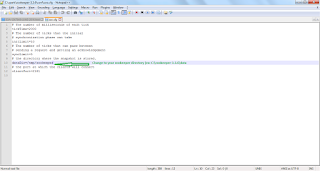
5. Setup path for zookeeper in Environment variables
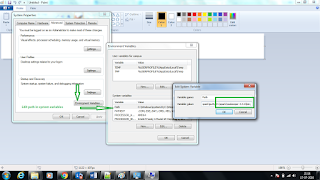
6. Open the Environment variables- click the system variables C:\spark\zookeeper-3.3.6\bin
7. If we want we can change the default port no
2181 in
zoo.cfg file
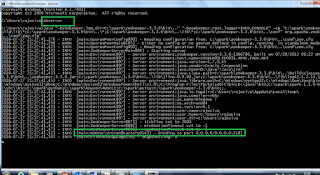
8. Run the Zookeeper from cmd prompt. execute
zkserver command
9. We can see the below image after successful zookeeper started
 Kafka setup and run kafka
1. Untar the same and go to kafka config directory
2. Look for
server.properties and edit the same
3. Find the
log.dirs=/tmp/kafka-logs to
log.dirs= “C:\spark\kafka_2.10-0.10.0.0\kafka-logs”
4. Now go to kafka installation directory – copy the installation path
5. Open the command prompt and go to kafka installation directory-
C:\spark\kafka_2.10-0.10.0.0
6. Execute the below command from the command prompt
.\bin\windows\kafka-server-start.bat .\config\server.properties
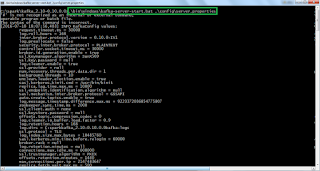
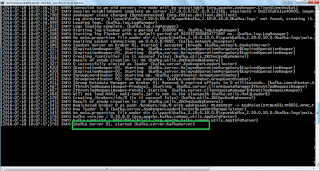
7. Once everything fine then kafka server will start and display image as mentioned below
 How to Create topics
1. Open command prompt and go to
C:\spark\kafka_2.10-0.10.0.0\bin\windows
2. Copy the below command and hit enter
kafka-topics.bat --create --zookeeper localhost:2181 --replication-factor 1 --partitions 1 --topic kafkatest
 How to create producer
1. Open command prompt and go to
C:\spark\kafka_2.10-0.10.0.0\bin\windows
2. Copy the below command and hit enter
kafka-console-producer.bat –broker-list localhost:9092 --topic kafkatest
How to create consumer
1. Open command prompt and go to
C:\spark\kafka_2.10-0.10.0.0\bin\windows
2. Copy the below command and hit enter
kafka-console-consumer.bat --zookeeper localhost:2181 --topic kafkatest
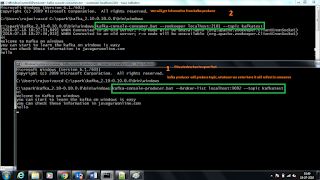
Once Producer and consumer started then, we can start to post messages from producer and reflect in consumer.
How to replicate data from producer to consumer
1. Try to enter some data in producer window, the same data will be replicates in consumer window.
 More useful commands
1. Listing all topics which we have created
-
kafka-topics.bat --list --zookeeper localhost:2181
2. describe about particular topic
-
kafka-topics.bat --list --zookeeper localhost:2181
3. Read all messages from particular topic
-
kafka-console-consumer.bat --zookeeper localhost:2181 --topic kafkatest --from-beginning
Thank you very much for viewing this post.


